AI Models
Welcome to the AI Model documentation.
This section covers information about AI models available in Nimbuz Platform.
Overview
Instead of manually setting up models, Nimbuz provides ready-to-use AI services. Developers can seamlessly integrate AI into applications using APIs or SDKs, reducing setup time and complexity.
Supported AI models
Our platform supports integration with the following providers:
| Model | Provider |
|---|---|
| nova-2-lite-v1 | Amazon |
| nova-premier-v1 | Amazon |
| claude-haiku-4.5 | Anthropic |
| claude-opus-4.5 | Anthropic |
| claude-opus-4.6 | Anthropic |
| claude-sonnet-4.6 | Anthropic |
| deepseek-v3.2 | DeepSeek |
| deepseek-v3.2-speciale | DeepSeek |
| gemini-3.1-pro-preview | |
| gemini-3-flash-preview | |
| devstral-2512 | Mistral AI |
| ministral-14b-2512 | Mistral AI |
| ministral-3b-2512 | Mistral AI |
| ministral-8b-2512 | Mistral AI |
| mistral-large-2512 | Mistral AI |
| mistral-small-creative | Mistral AI |
| nemotron-3-nano-30b-a3b | NVIDIA |
| gpt-5.1-codex-max | OpenAI |
| gpt-5.2-chat | OpenAI |
| gpt-5.2-pro | OpenAI |
| qwen3.5-397b-a17b | Qwen |
| qwen3.5-plus-02-15 | Qwen |
| qwen3-coder-next | Qwen |
| qwen3-max-thinking | Qwen |
Accessing AI Models
From the sidebar on the left, navigate to AI Models
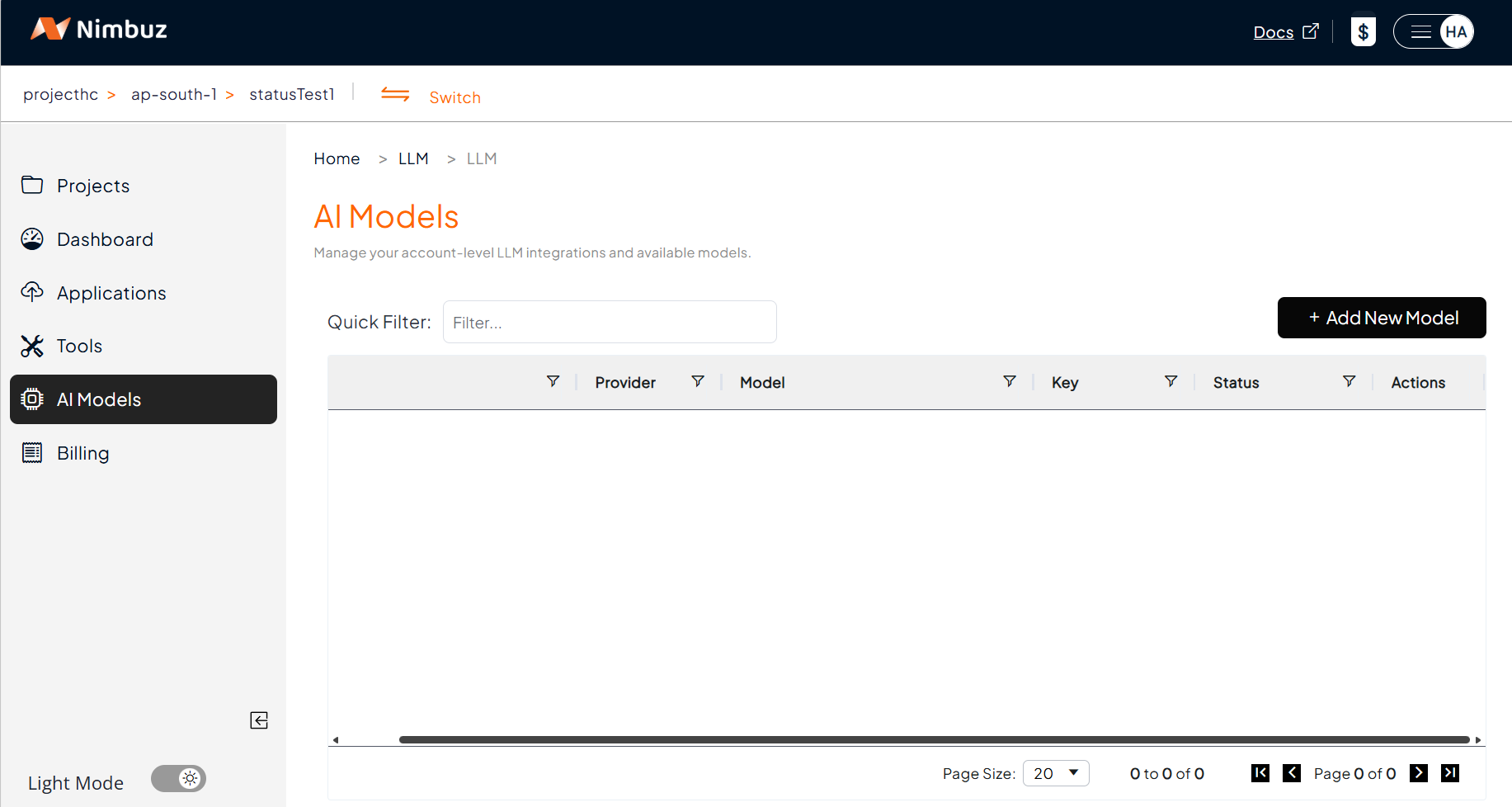
Create New Model
Click "+ Add New Model" button on the right side of the AI Models screen. It provides a list of the supported models to select and a link 'View Details' which gives more information about the models.
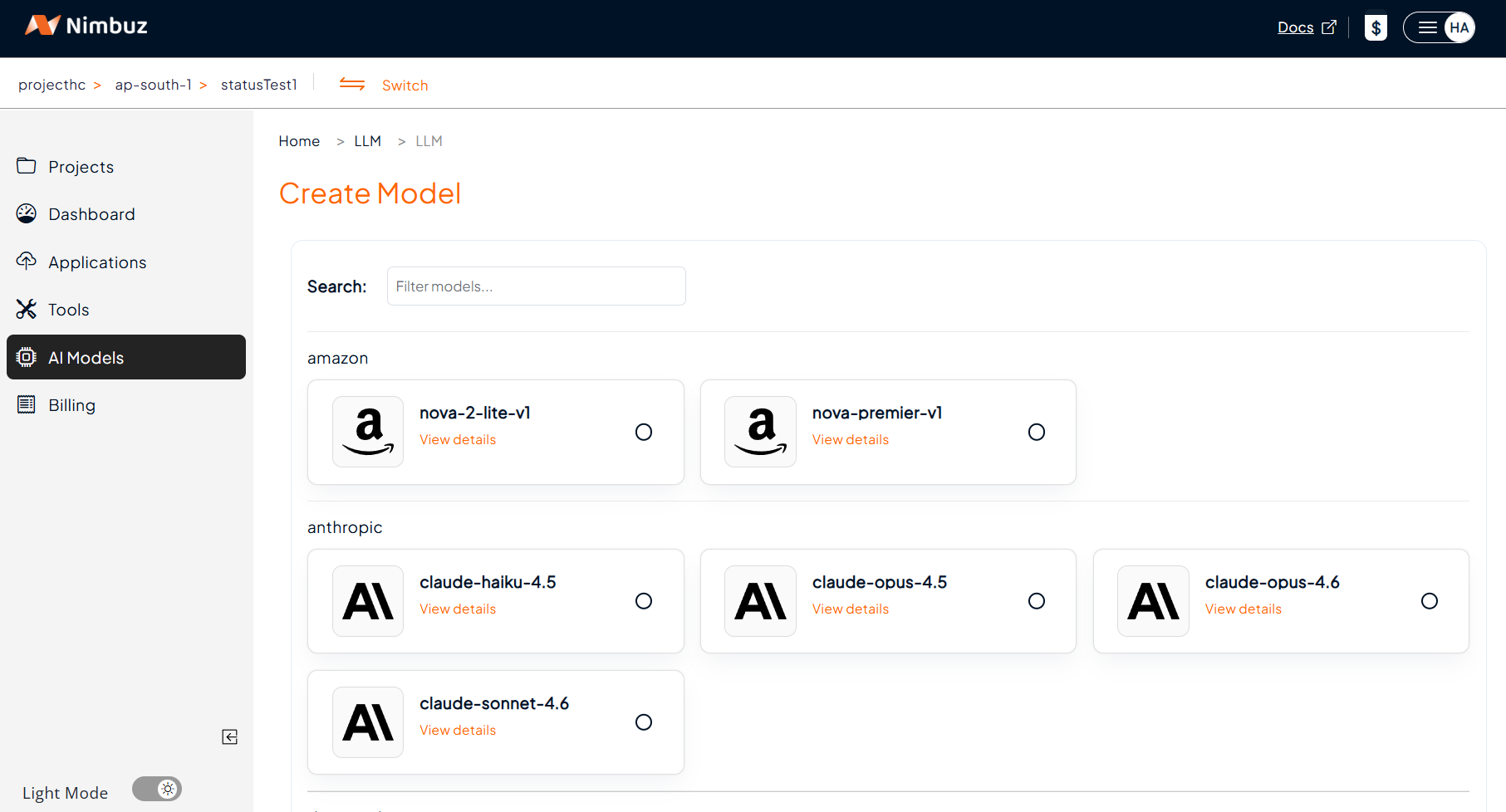 Selecting one of the models takes you to 'Configure model' page.
Configure Model
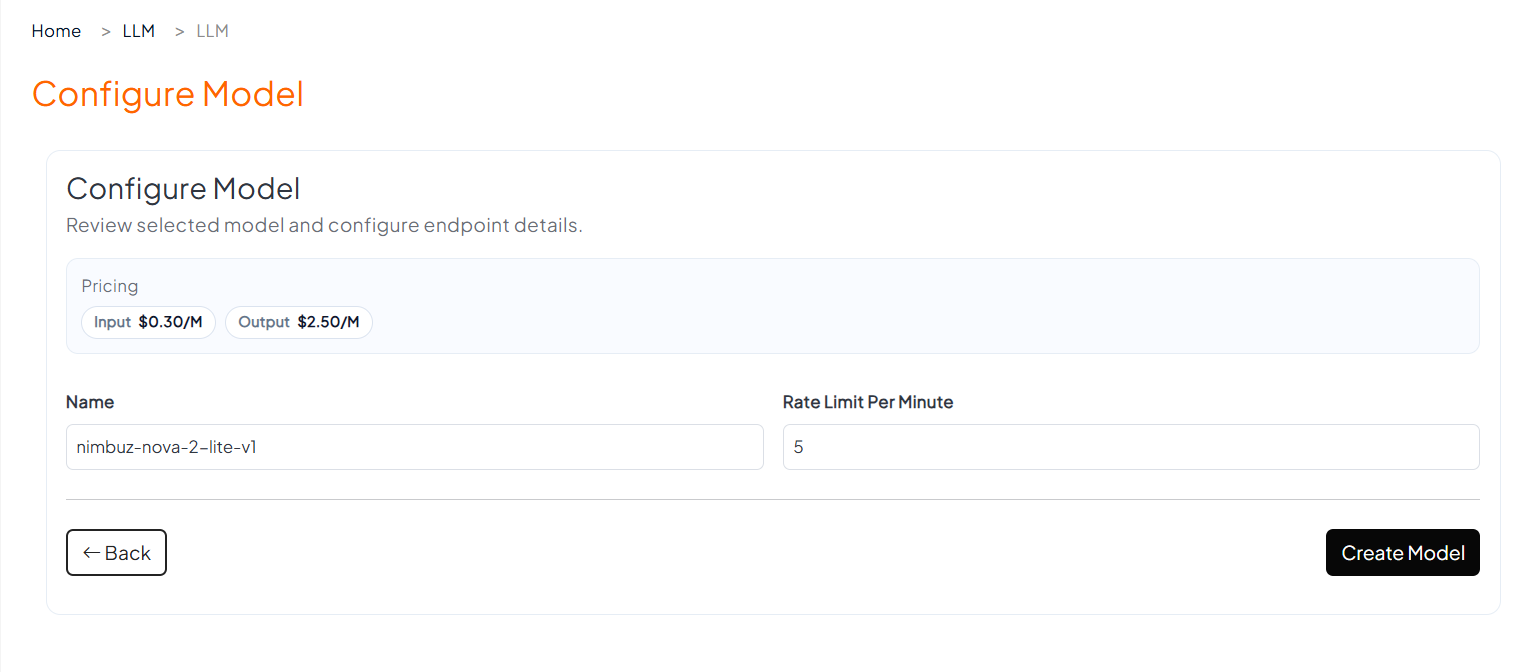
- Configure Model:
- Pricing:
- Input: Gives you information on the amount you pay for every one million tokens you send into the model.
- Output: Gives you information on the amount you pay for every one million tokens the model generates as a response
- Name: Unique name for the model instance
- Rate Limit per Minute: Number of requests to the API in one minute
- Click on 'Create Model' on the bottom right corner
- Copy the API key with the copy icon provided, then click 'Done'. This step is important as the key will not be available later.
Note - Pricing is displayed per 1 million tokens as the standard unit. Actual usage is usually much smaller and charges are calculated proportionally based on the exact number of tokens consumed. For more details on pricing, please visit Nimbuz Pricing Page.
List of Models
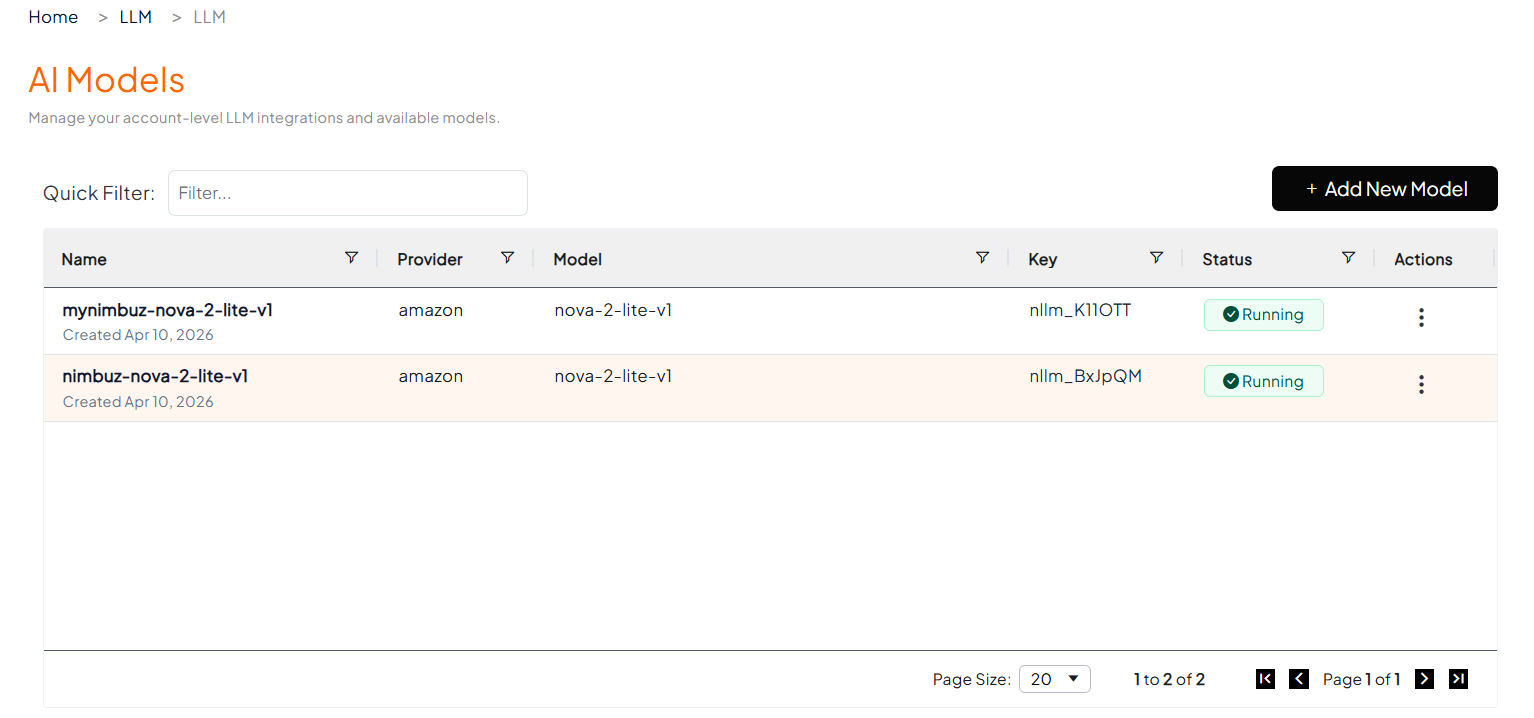
Each model provides detailed information including:
- Name: Unique identifier for the model instance
- Provider: Provider of the model
- Model: Model name
- Key: API key prefix
- Status: Status of the model
Available Actions
For each installed model, you can perform:
- View: Display detailed model information and configuration
- Rotate Key: Recreate the API key whenever required or when the existing key has expired.
- Delete: Permanently remove the model and all associated data
View Model
Settings
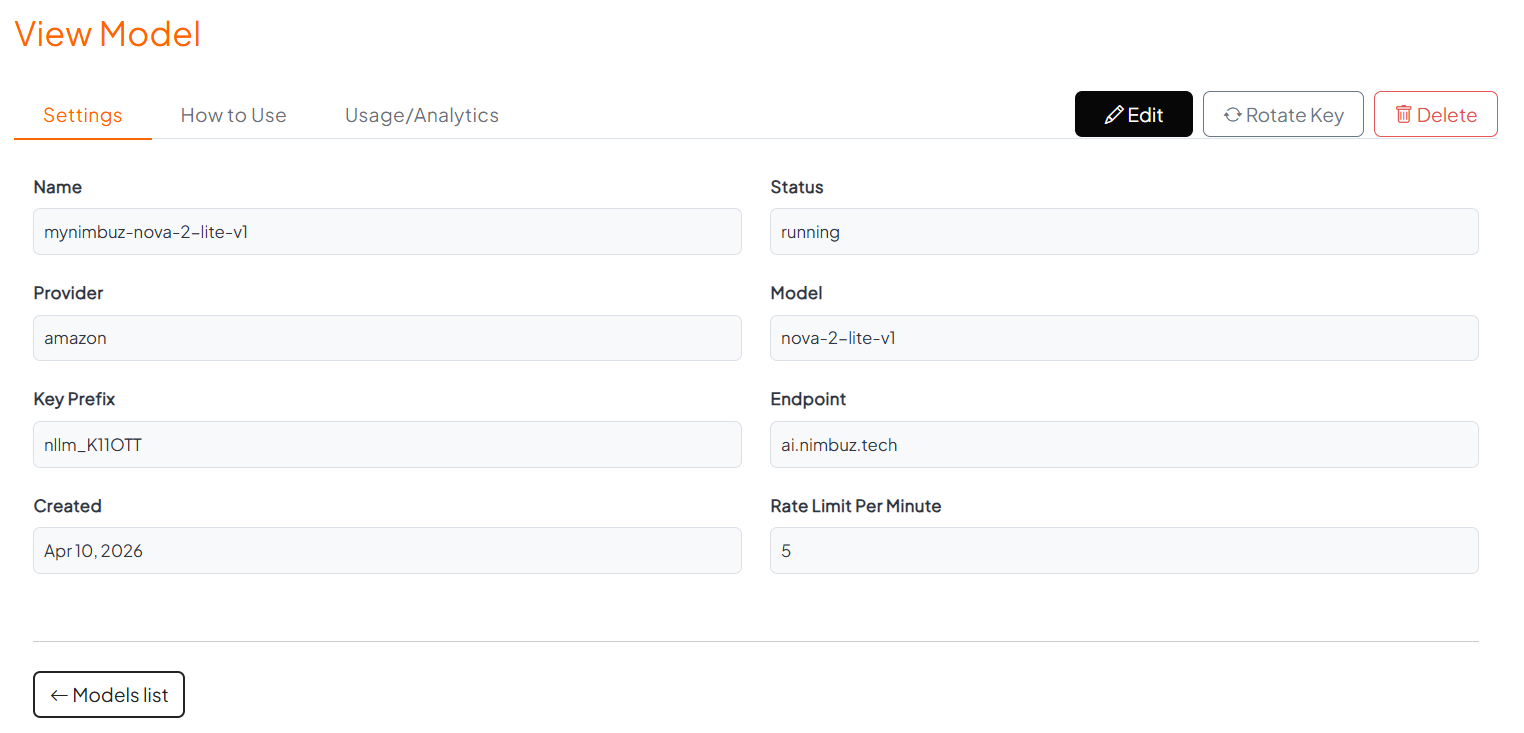 This section gives general information about the model
- Name: Unique identifier of the model instance
- Status: Status of the model
- Provider: Provider of the model
- Model: Model name
- Key Prefix: The first few characters of the API key, used for quick identification without exposing the full key
- Endpoint: The model host that processes your API requests
- Created: The creation date of the model
- Rate Limit Per Minute: Number of requests to the API in 1 minute
Additionally, the following options are available on the right side:
- Edit: To edit the RateLimitPerMinute value
- Rotate Key: Recreate the API key whenever required or when the existing key has expired.
- Delete: Permanently remove the model and all associated data
How to Use
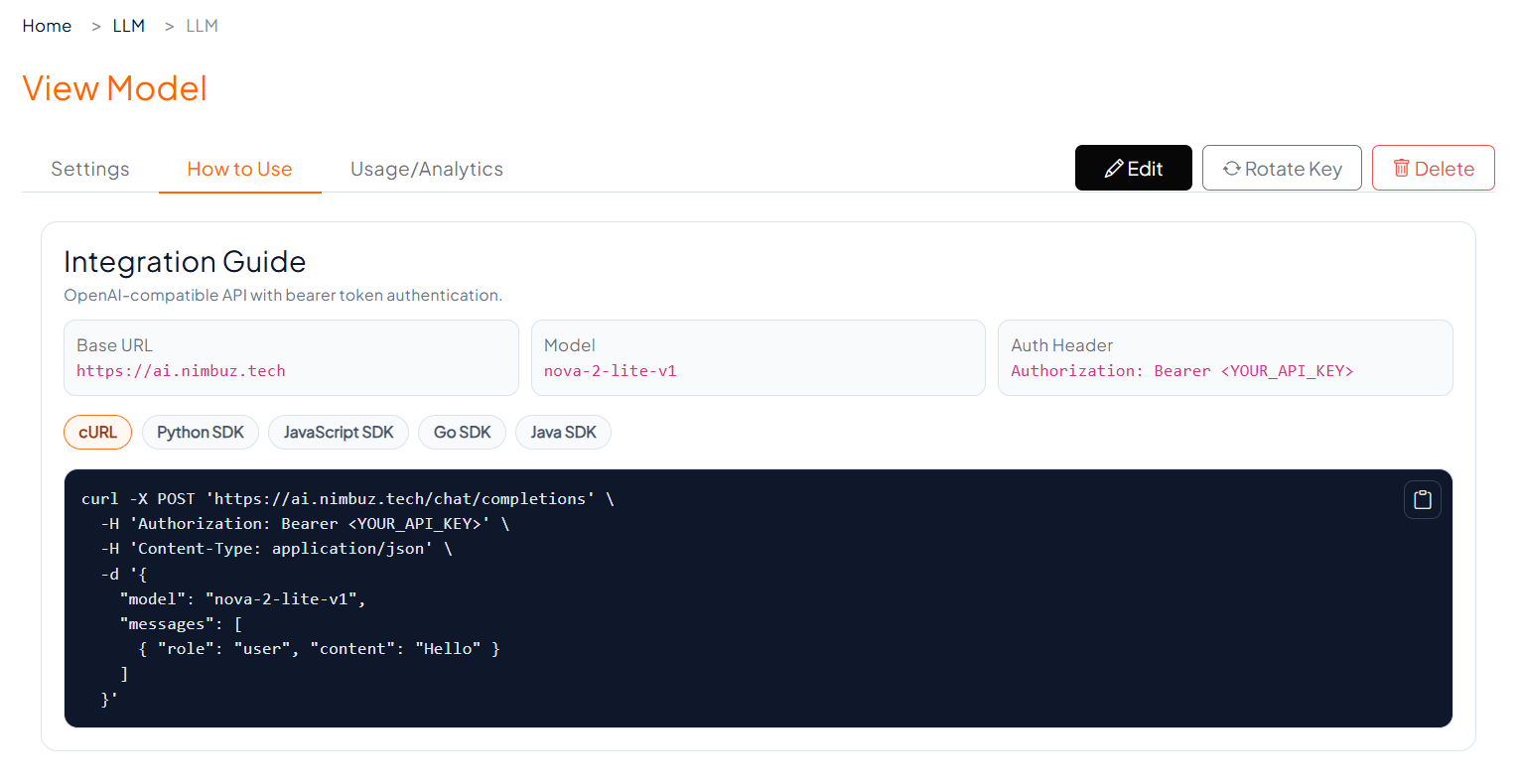
This section explains how to integrate and use the model within your application
- Base URL: All API requests should be sent to https://ai.nimbuz.tech
- Auth Header: You must include your API key in the request header.
Authorization: Bearer YOUR_API_KEY
Making Your First Request
- Endpoint: POST /chat/completions
- cURL: Shows the sample request body
- model - Model name to use
- messages - Conversation messages
- SDKs: In addition to using cURL you can integrate our models using official SDKs for popular programming languages. These SDKs provide a more convenient and structured way to interact with the API.
Usage/Analytics
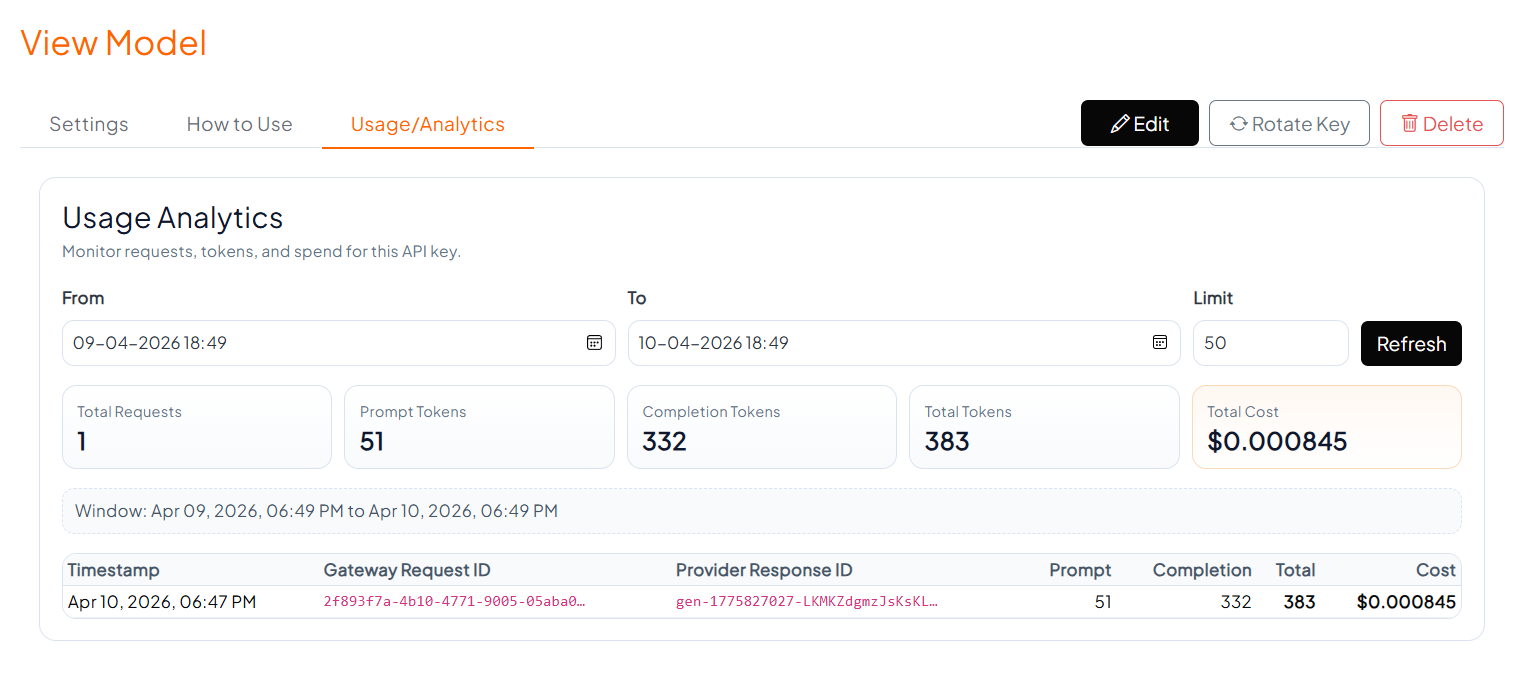
The Usage & Analytics section provides detailed insights into your API consumption and costs within a specific duration. It helps you monitor usage patterns, optimize performance and manage spending effectively.
- Total Requests: The total number of API calls made to the model
- Prompt Tokens: The number of tokens used in the input sent to the model
- Completion Tokens: The number of tokens generated by the model in its response
- Total Tokens: The sum of prompt tokens and completion tokens for all requests
- Total Cost: The total cost incurred based on token usage